
Mac Cleaner Comparison 2026

Best CleanMyMac alternative in 2026 — no subscription, full feature set

CleanMyMac has been a household name in Mac maintenance for years, but its subscription model and background processes push many users to look for alternatives. This comparison covers what MacOptimizers offers differently — in terms of pricing, privacy, feature depth, and how it handles the cleanup tasks that matter most.

Why users switch from CleanMyMac

  • Annual subscription of €34–€40/year that many users forget to cancel.
  • Background helper processes that run even when the app is closed.
  • Cleanup actions that can be difficult to audit before they execute.
  • Ukrainian developer ownership and data handling concerns for some users.
  • Complexity of managing multiple modules (Space Lens, Updater, Protection, Extensions) simultaneously.
  • Difficulty understanding exactly what was deleted after a "Smart Scan."
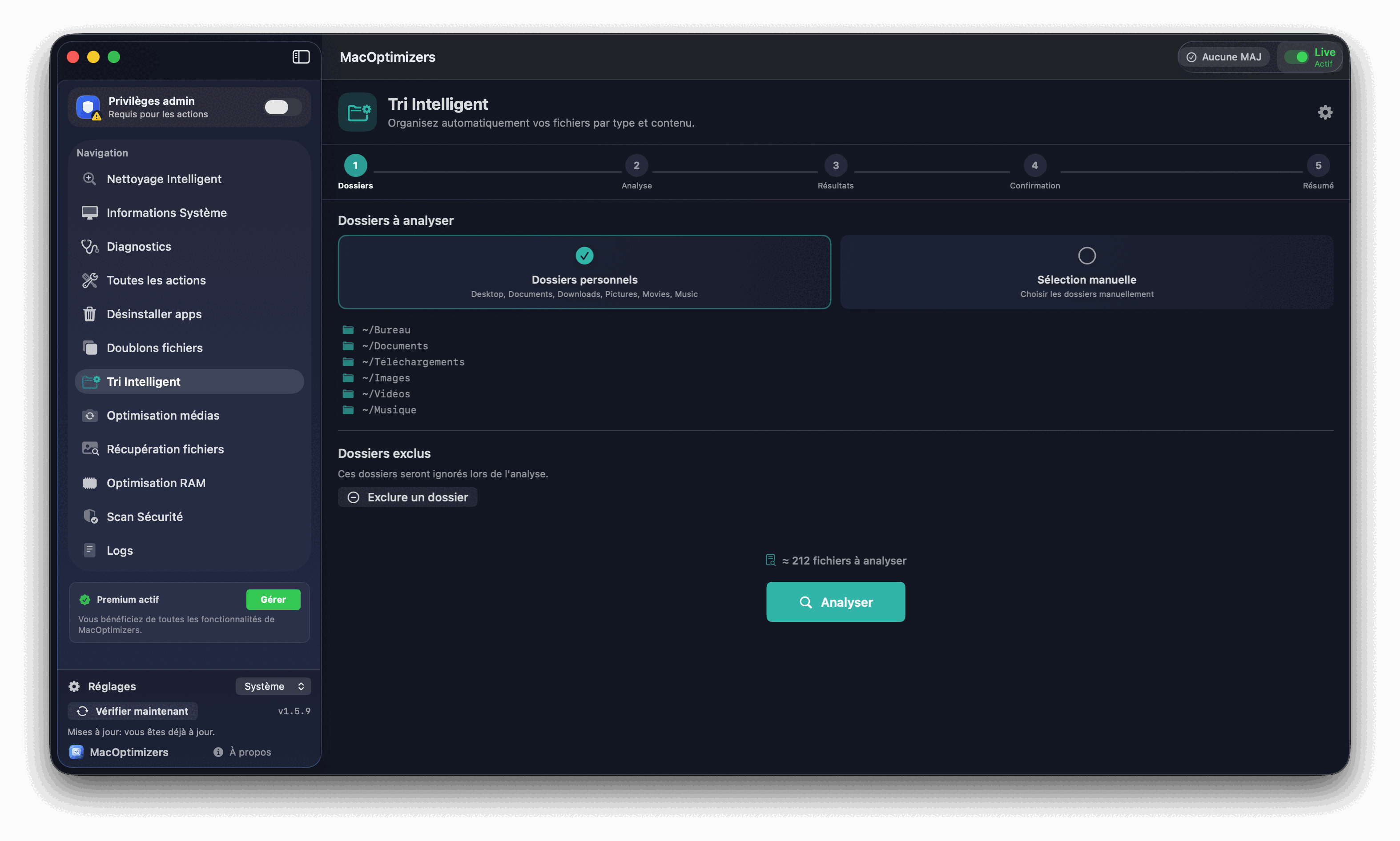
MacOptimizers main interface

MacOptimizers vs CleanMyMac — feature comparison

  • Pricing — MacOptimizers: one-time purchase, no recurring fee. CleanMyMac X: annual subscription (€34–€40/year per Mac).
  • Cache and junk cleanup — both tools cover system caches, user caches, browser data, and mail downloads. MacOptimizers shows file paths before deletion; CleanMyMac presents a summary total.
  • App uninstaller — MacOptimizers scans all associated files across ~/Library and removes them in one pass with a review screen. CleanMyMac's Uninstaller works similarly.
  • Duplicate file detection — MacOptimizers uses SHA-256 hash comparison. CleanMyMac's duplicate finder works on filename and size matching.
  • Antimalware scan — MacOptimizers includes a YARA-based local scan covering macOS-specific malware. CleanMyMac includes malware removal powered by Malwarebytes definitions.
  • Startup items management — both tools show Login Items and Launch Agents. MacOptimizers also flags suspicious or unsigned entries.
  • Privacy — MacOptimizers is developed in France under GDPR, processes everything locally, and does not send telemetry by default. CleanMyMac sends anonymized usage data to MacPaw servers.
  • Background processes — MacOptimizers has no persistent background helper. It runs only when you open it. CleanMyMac installs a background menu bar helper that runs continuously.
  • Platform compatibility — both support Apple Silicon and Intel, macOS Ventura through Tahoe.

What MacOptimizers does that CleanMyMac doesn't

  • Diagnostic engine with 40+ checks — hardware health, SSD lifespan, thermal performance, memory pressure, disk fragmentation markers, and Spotlight index consistency. CleanMyMac focuses on storage cleanup with lighter system diagnostics.
  • YARA-based local antimalware — custom YARA rules covering macOS-specific threats (LaunchAgent persistence, DPRK APT patterns, adware browser hijackers) that run entirely on-device.
  • Media file analysis — identifies low-quality duplicates in video and photo collections, GIF optimization, thumbnail generation for visual review before deletion.
  • iStats sensor monitoring — real-time CPU temperature, fan speed, battery health, and SSD wear level displayed in-app. CleanMyMac shows basic system info without live sensor data.
  • SmartSort ML file categorization — suggests folder destinations for unsorted files using a local machine learning classifier trained on macOS file patterns.

Free features available without buying Premium

MacOptimizers doesn't lock the most useful diagnostics behind a paywall. These features work without any purchase:

  • Full system diagnostic scan with hardware health indicators.
  • Startup items viewer (Login Items + Launch Agents).
  • Storage breakdown by category.
  • Cache size analysis showing what's safe to delete.
  • Antimalware scan results (detection without automated removal).

Premium adds automated cleanup execution, deep uninstall, duplicate removal, and the full media analysis toolset.

CleanMyMac Alternative FAQ

Is MacOptimizers a subscription or one-time purchase?

One-time purchase. No annual renewal, no subscription. You buy Premium once and keep using it, including updates for the same major version.

Does MacOptimizers include antimalware scanning?

Yes — YARA-based local scan covering macOS-specific malware families, adware, and suspicious startup items. Everything runs on-device; no files are sent externally.

Can it fully uninstall apps like CleanMyMac does?

Yes. Deep uninstall finds associated files in ~/Library/Application Support, ~/Library/Preferences, ~/Library/Caches, Launch Agents, and Login Items — all with a review screen before deletion.

Does MacOptimizers work on Apple Silicon?

Yes — native support for M1 through M4, and Intel Macs. Compatible with macOS Ventura, Sonoma, Sequoia, and Tahoe.

Why do people leave CleanMyMac?

Mostly the subscription cost, constant background helper process, and difficulty auditing what exactly was deleted during Smart Scan. Some users also prefer European (GDPR) data handling.

Does MacOptimizers run background processes?

No. MacOptimizers has no persistent background helper — it only runs when you open it. Nothing installs into Login Items without your explicit action.

Related guides

Free macOS cleanup

What you can clean for free before buying anything.

Read

Uninstall apps completely

Remove every file an app leaves behind.

Read

Mac disk full

What's eating your storage and how to recover it.

Read

Mac Diagnostics

Check hardware health and system stability.

Read