
 Download MacOptimizers
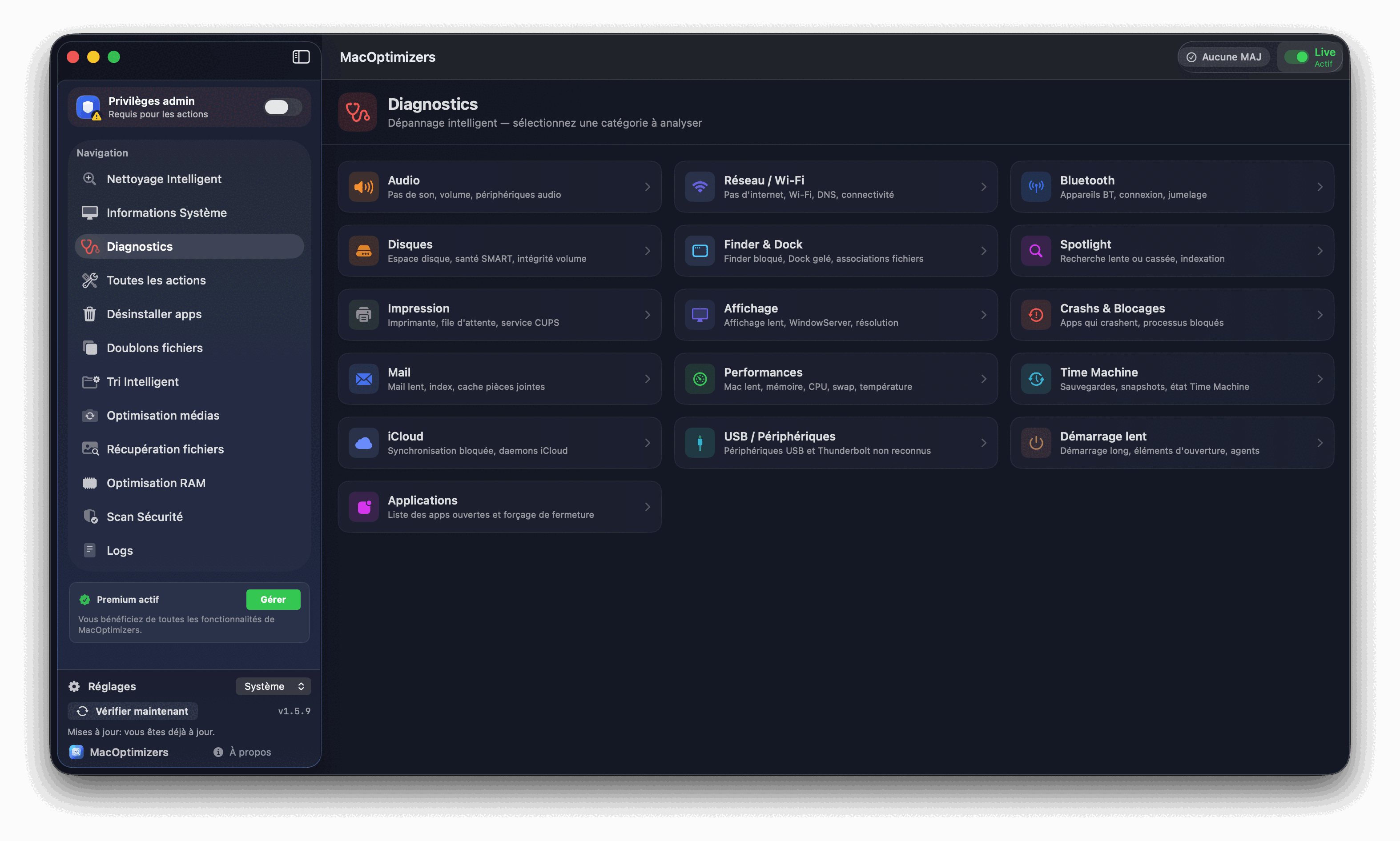
Actionable macOS diagnostics
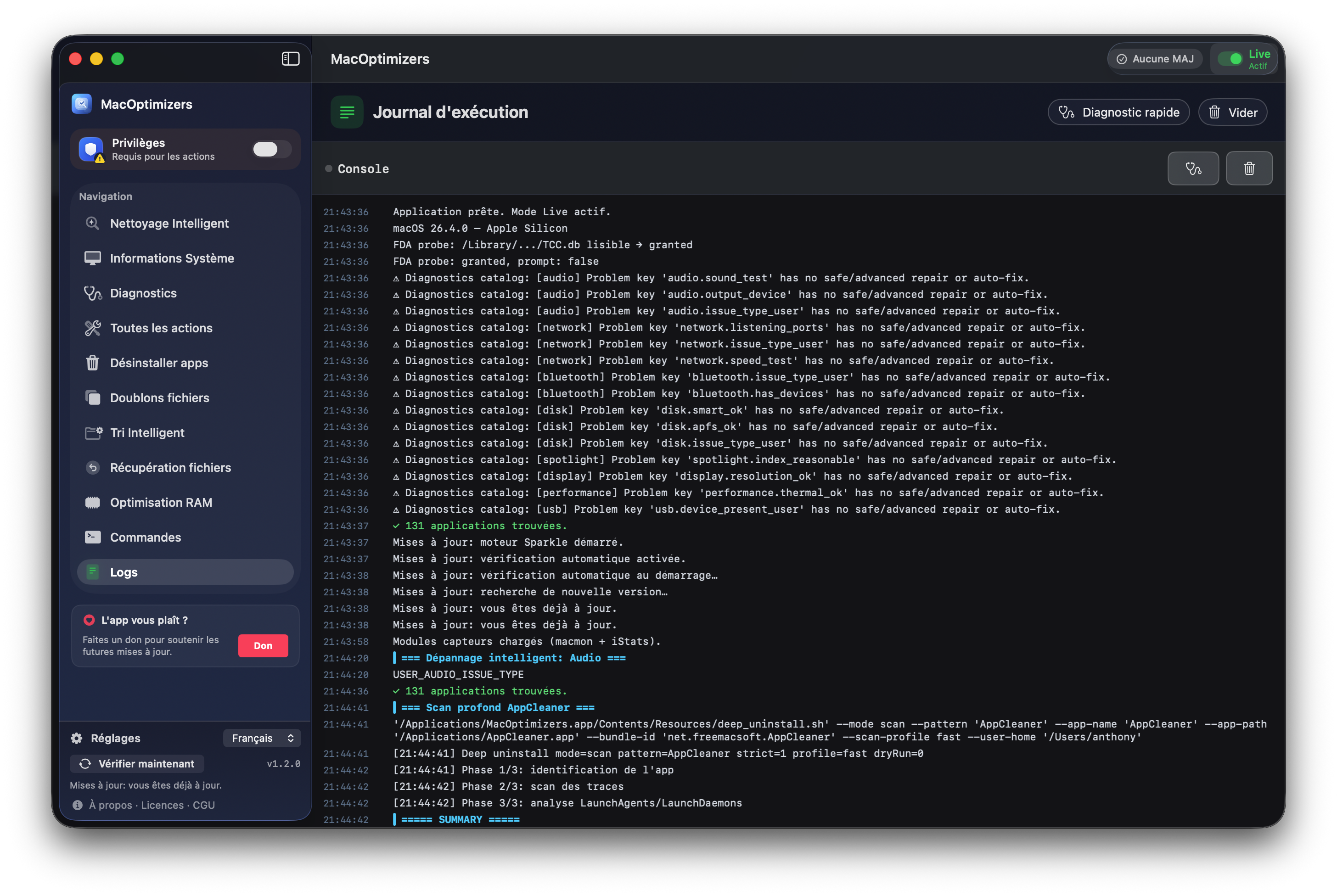
Shell tests, interpretation of feedback, progressive corrections and validation after each action.

Native macOS app
Download MacOptimizers to reclaim disk space, remove duplicates, run guided diagnostics, then upgrade to Premium for advanced maintenance workflows.
macOS download only (.dmg). To install, open this link from a Mac.
Current version: ...
Downloads ...
Shell tests, interpretation of feedback, progressive corrections and validation after each action.
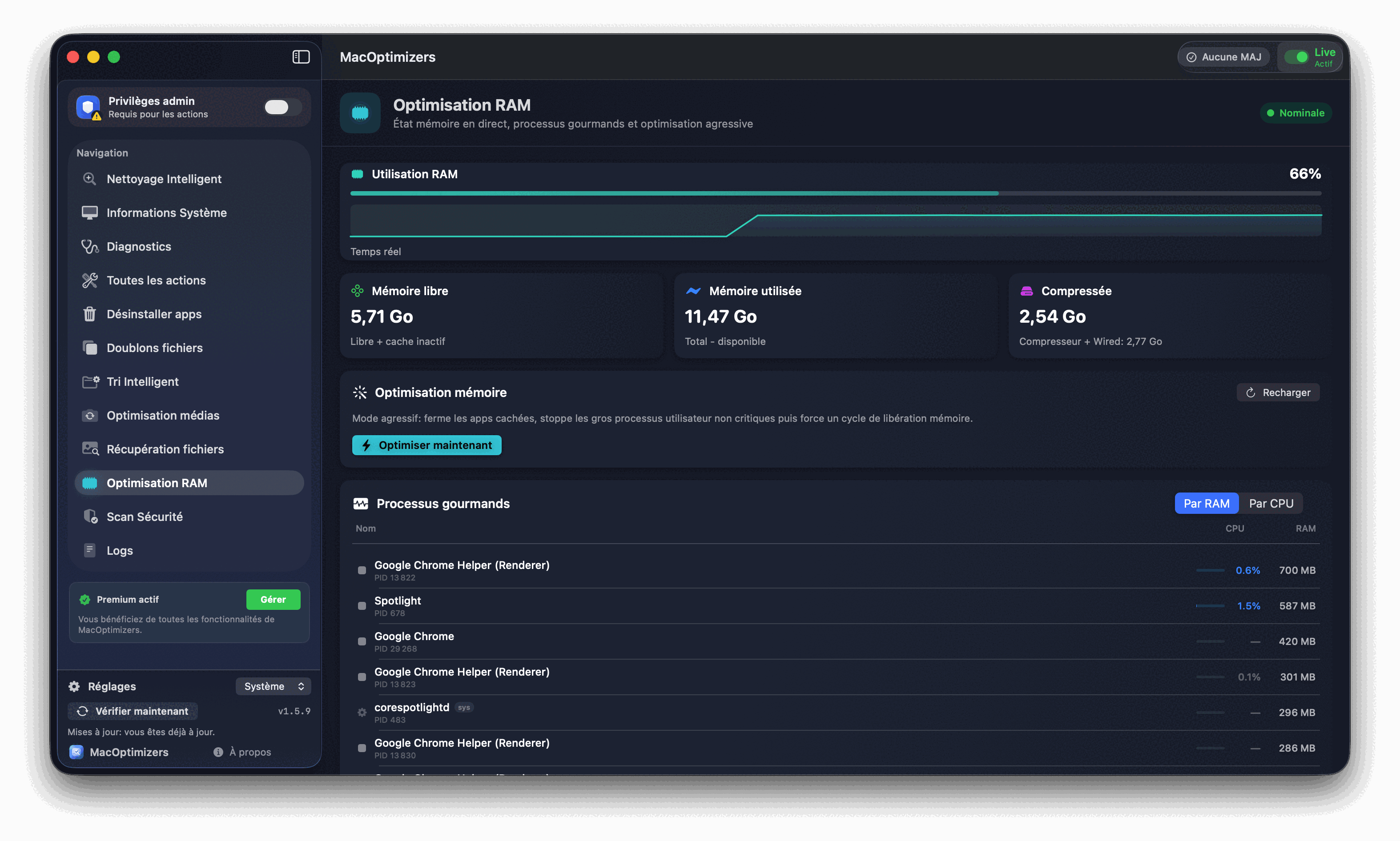
Targeted removal of unnecessary data, RAM optimization and regular Mac maintenance with a free tool.
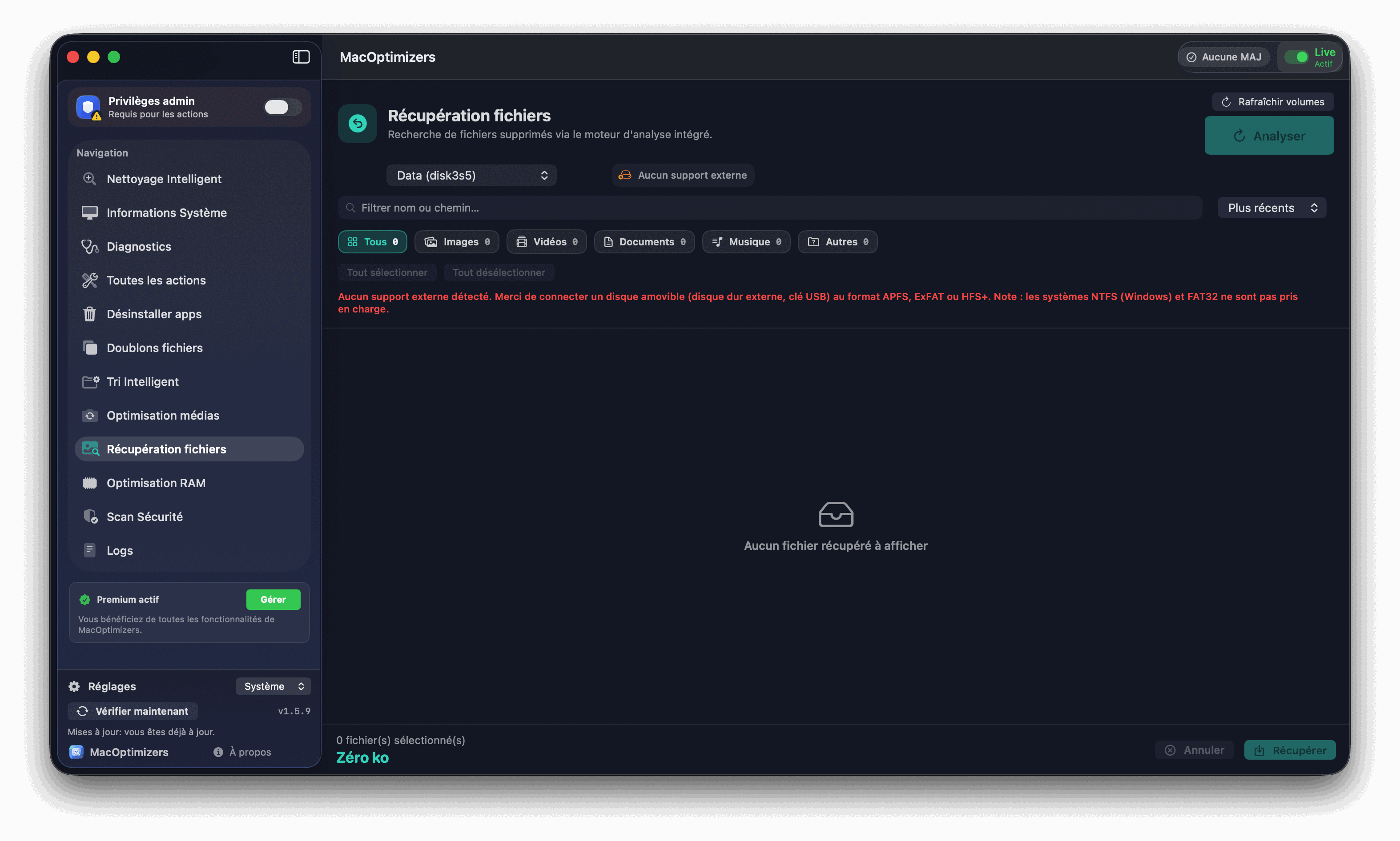
Deleted file recovery, duplicate management, and guided actions to avoid errors.
Transparency
MacOptimizers offers a free base for daily maintenance, and a lifetime Premium license () for advanced functions.
Already a customer? Enjoy on your 2nd Premium license by entering your email on the purchase page.
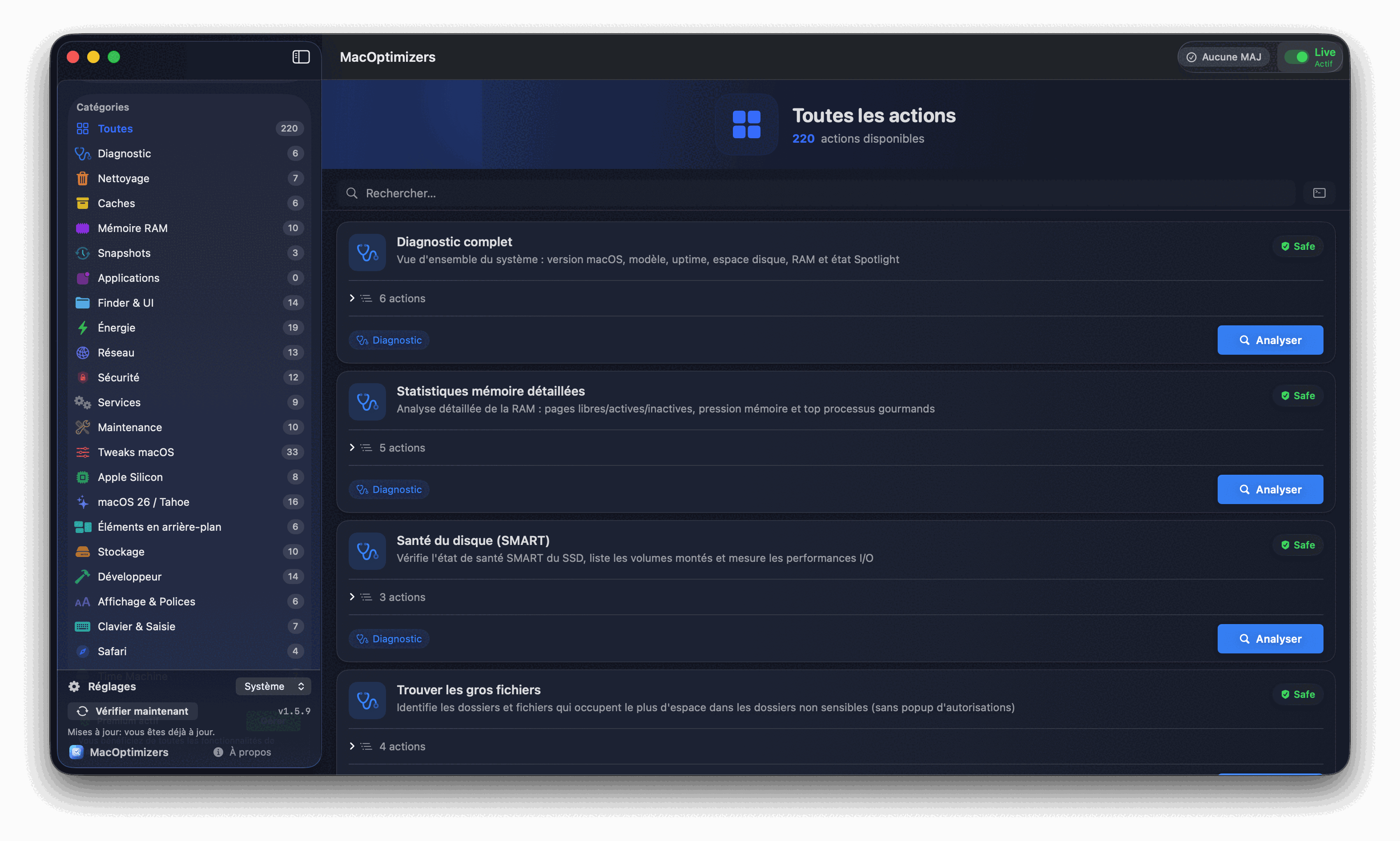
Available functions
Cleanup, macOS optimization, duplicate removal, diagnostics, and maintenance: the core tools to keep your Mac fast in one application.
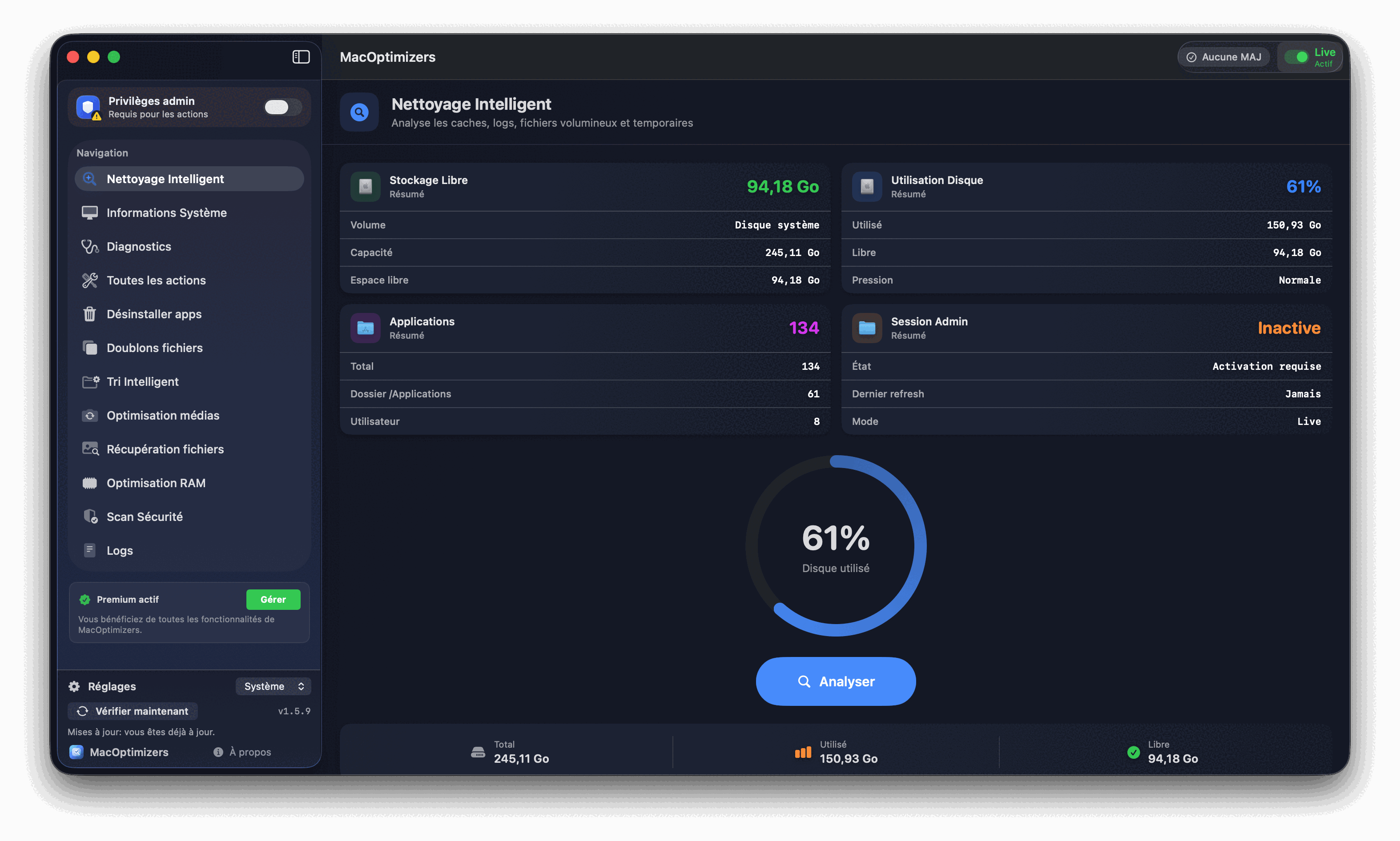
Intelligent analysis of areas that swell over time and targeted cleaning to quickly recover disk space.
New module
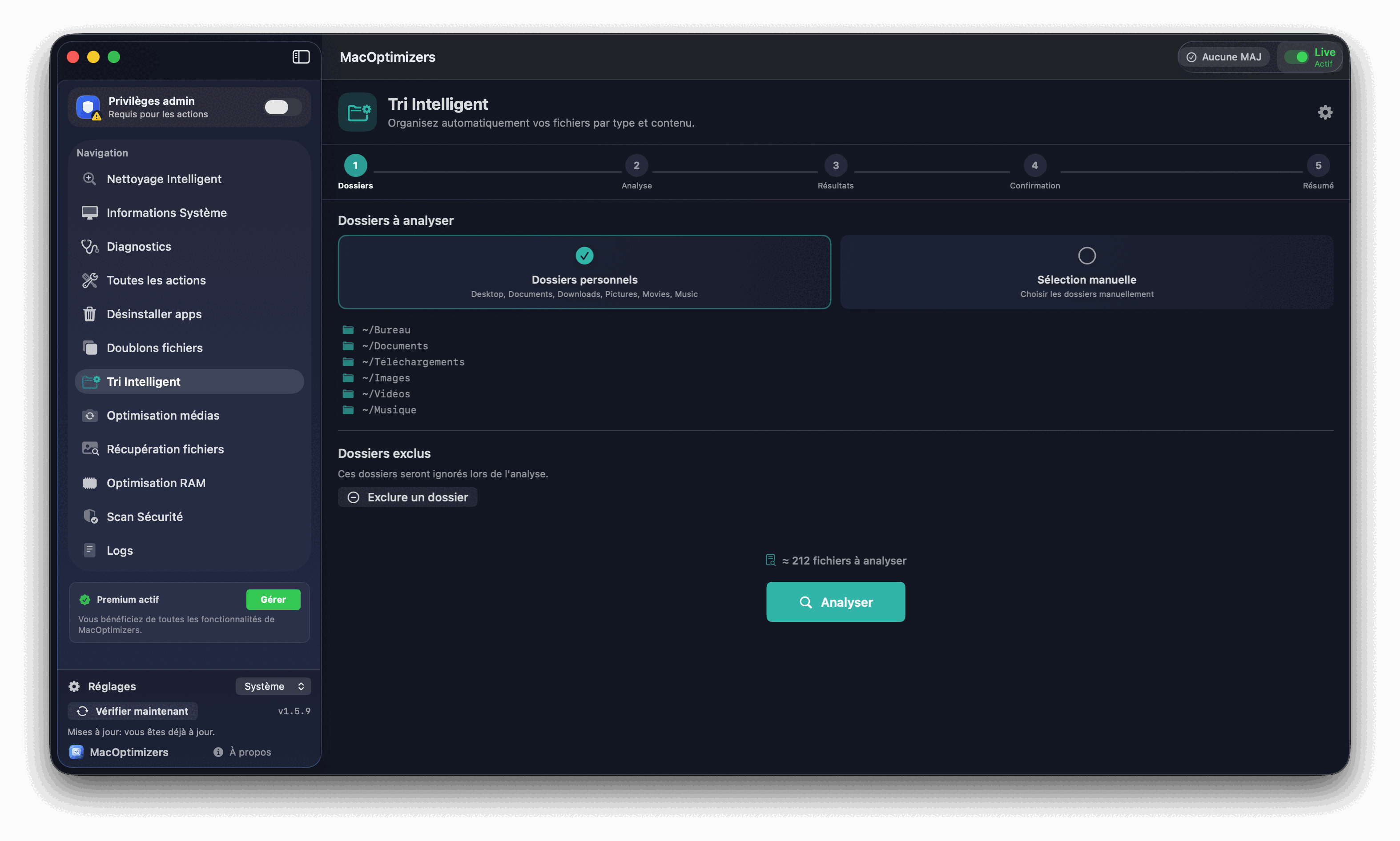
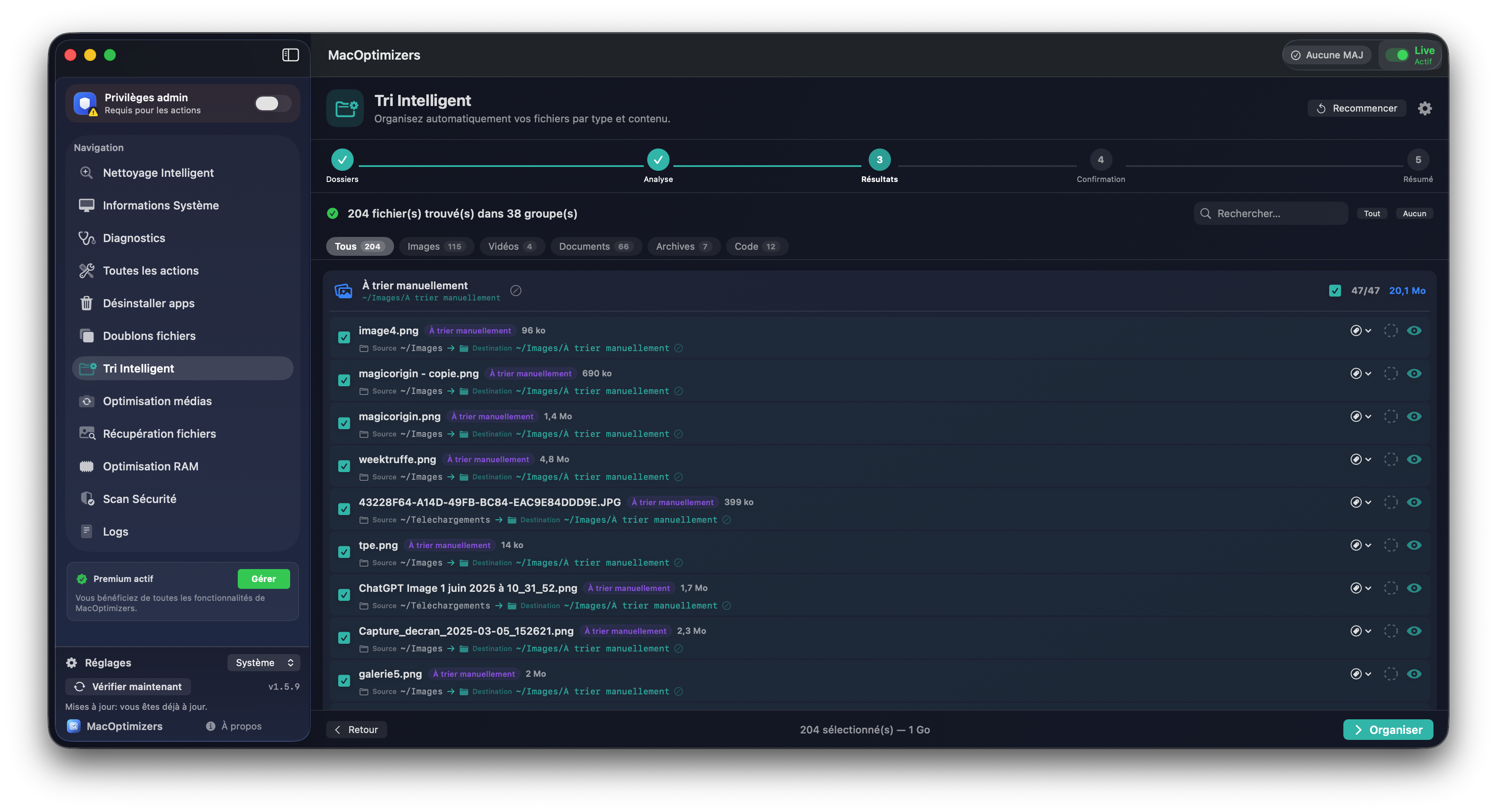
The module analyzes your source folders, applies predictions (native rules + personalized predictions + learned associations), enriches the results via Spotlight and offers a Mac file organization plan before execution.
New Premium module
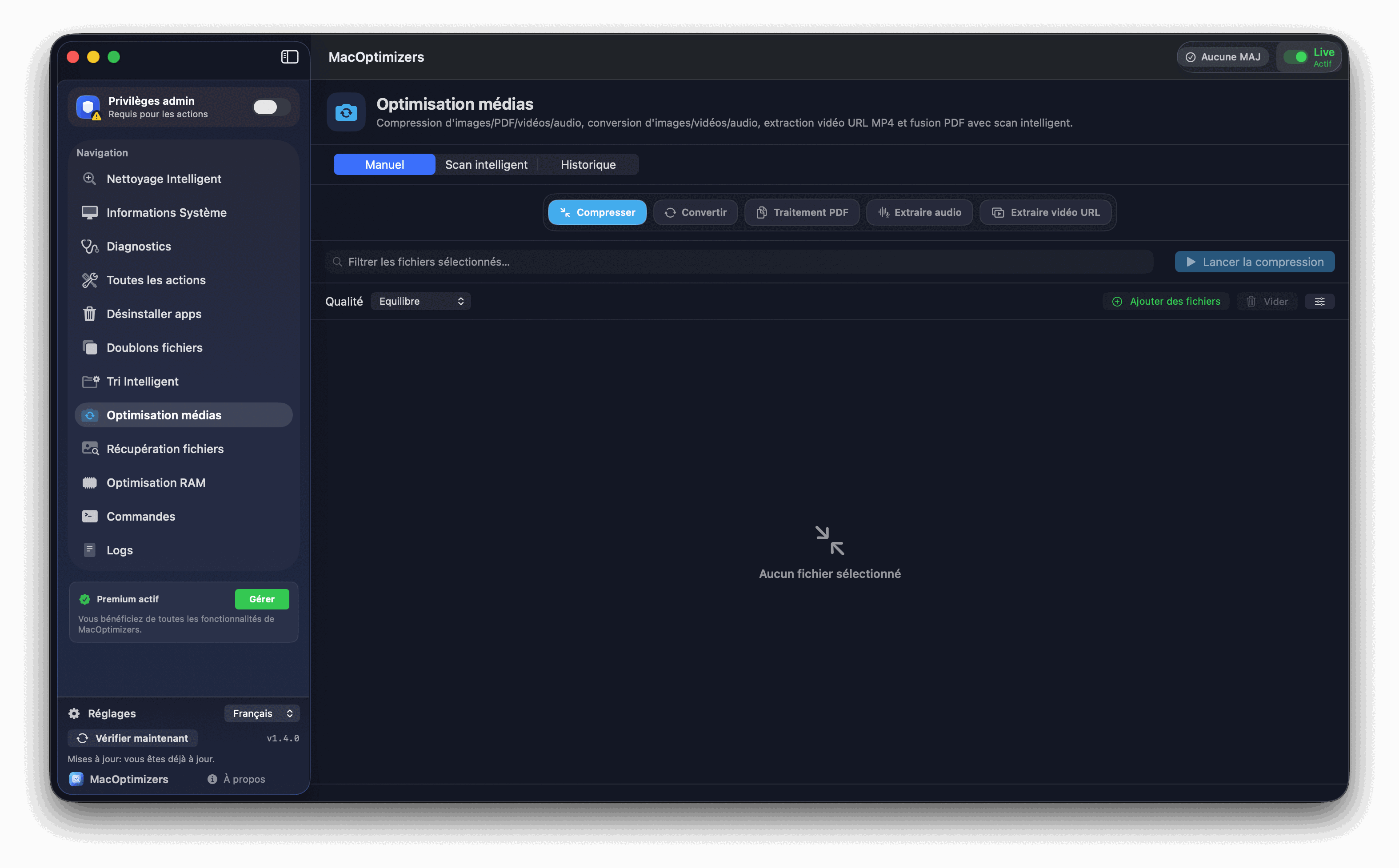
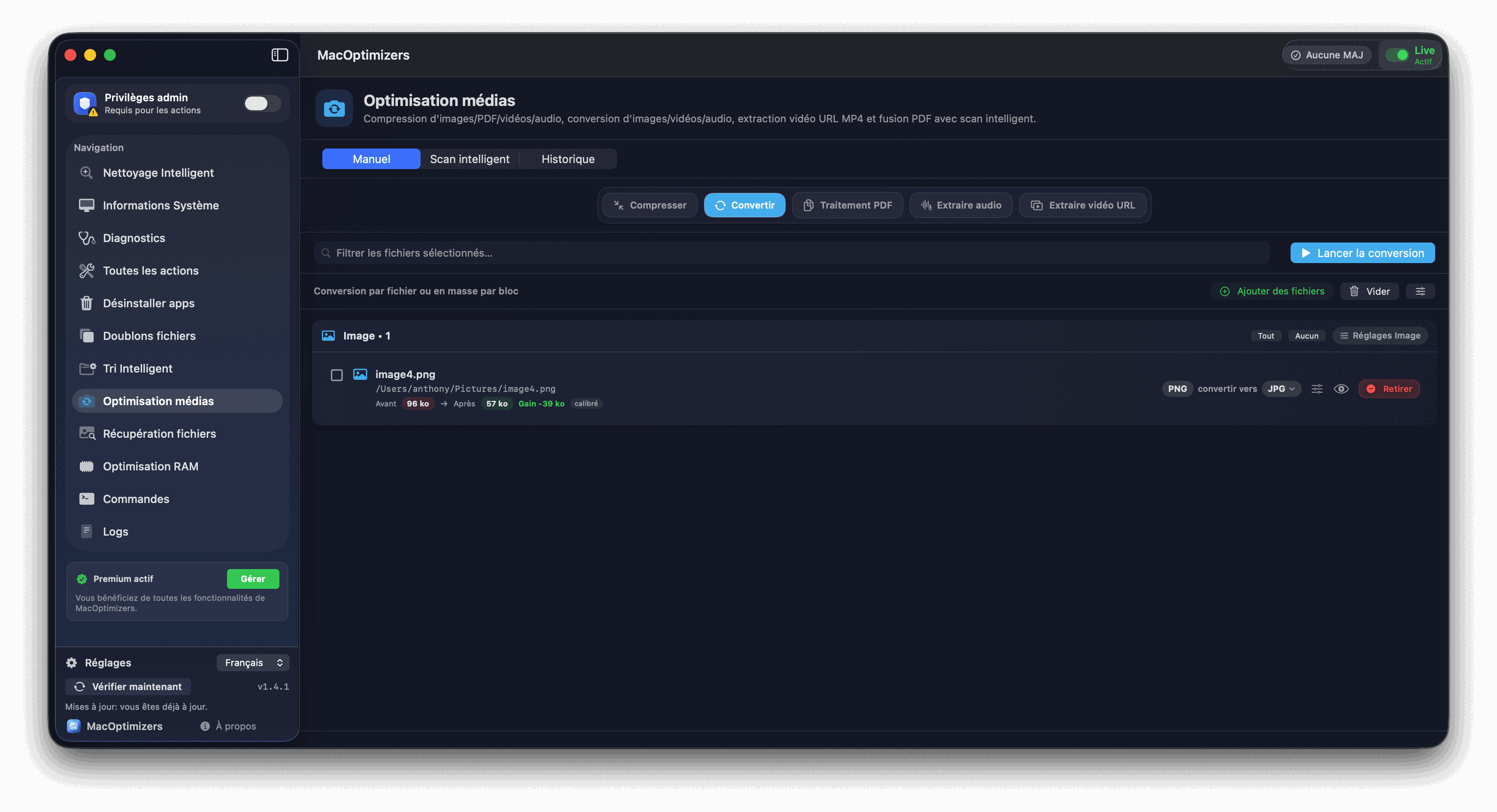
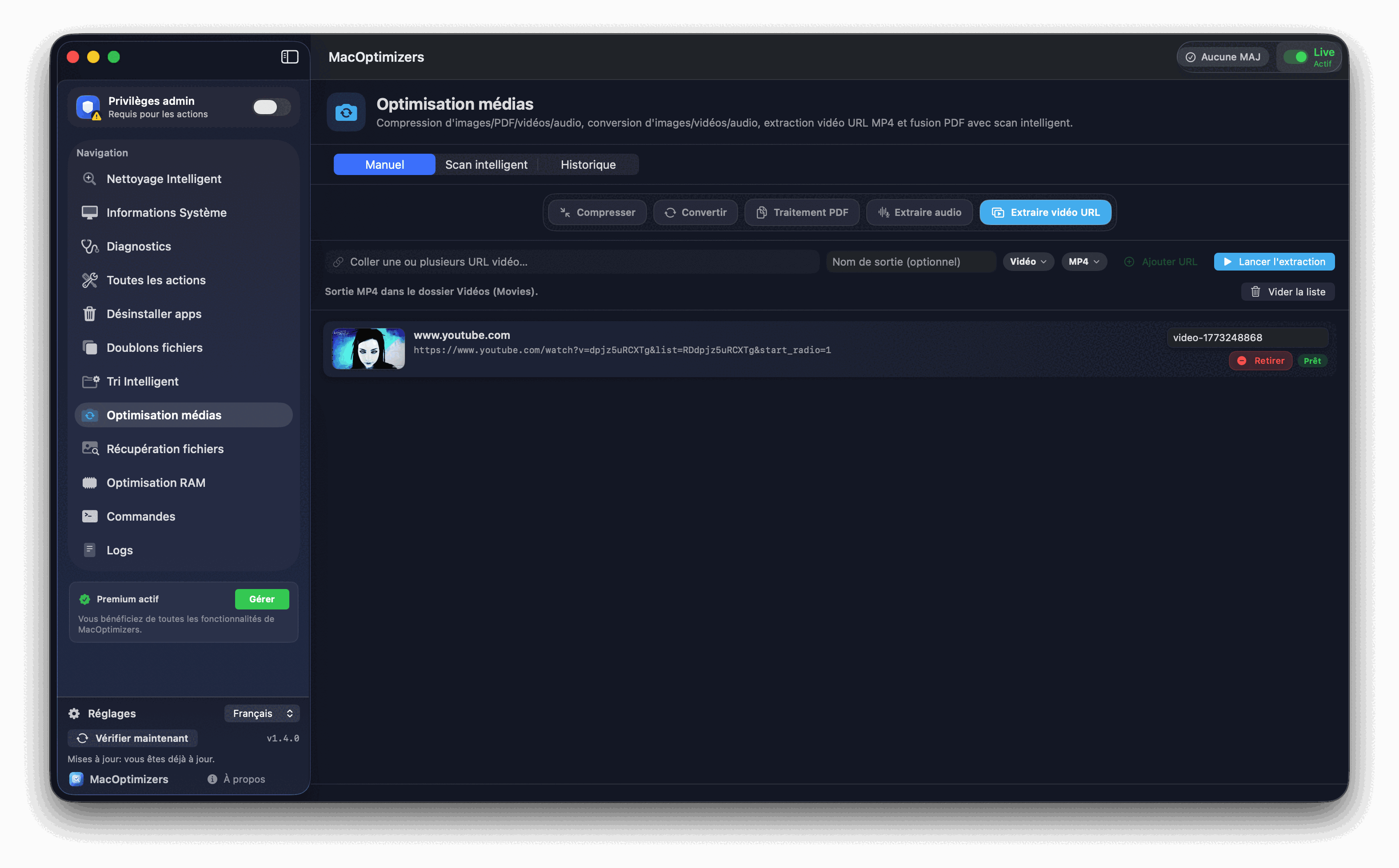
The module brings together manual compression and conversion workflows, intelligent space-saving scanning, PDF processing (merger/optimization) and audio/video extraction with queue management.
New Premium module
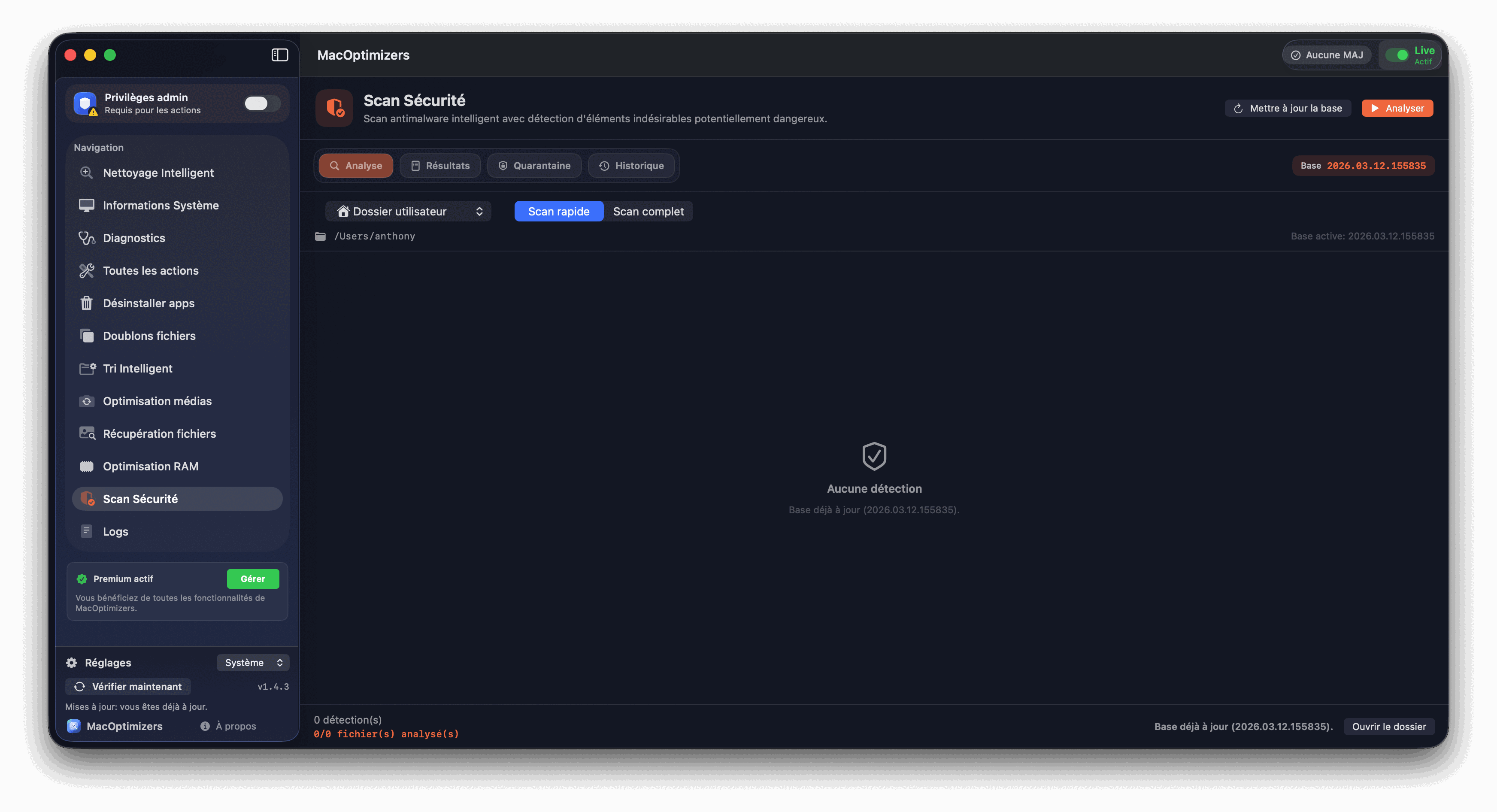
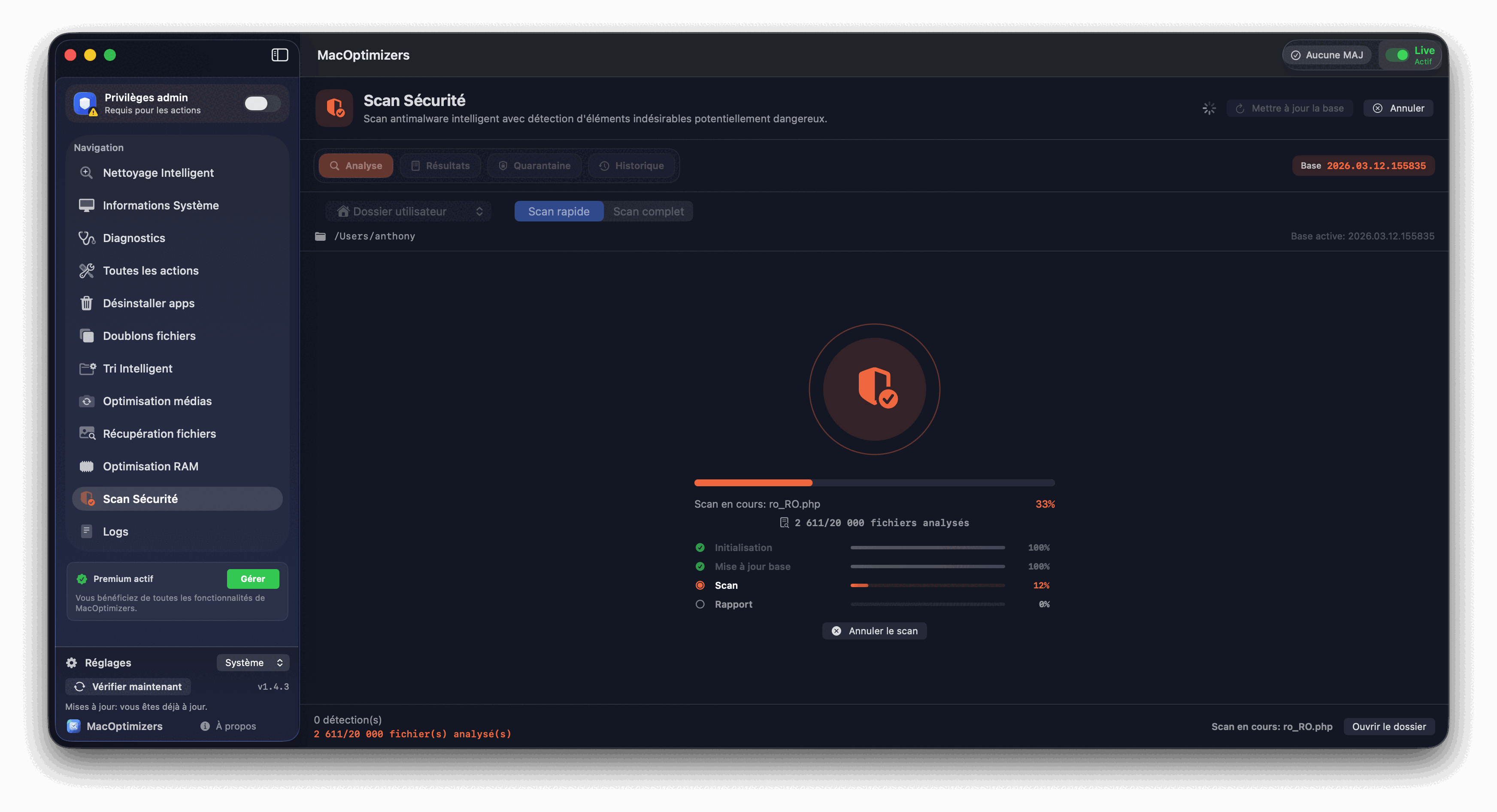
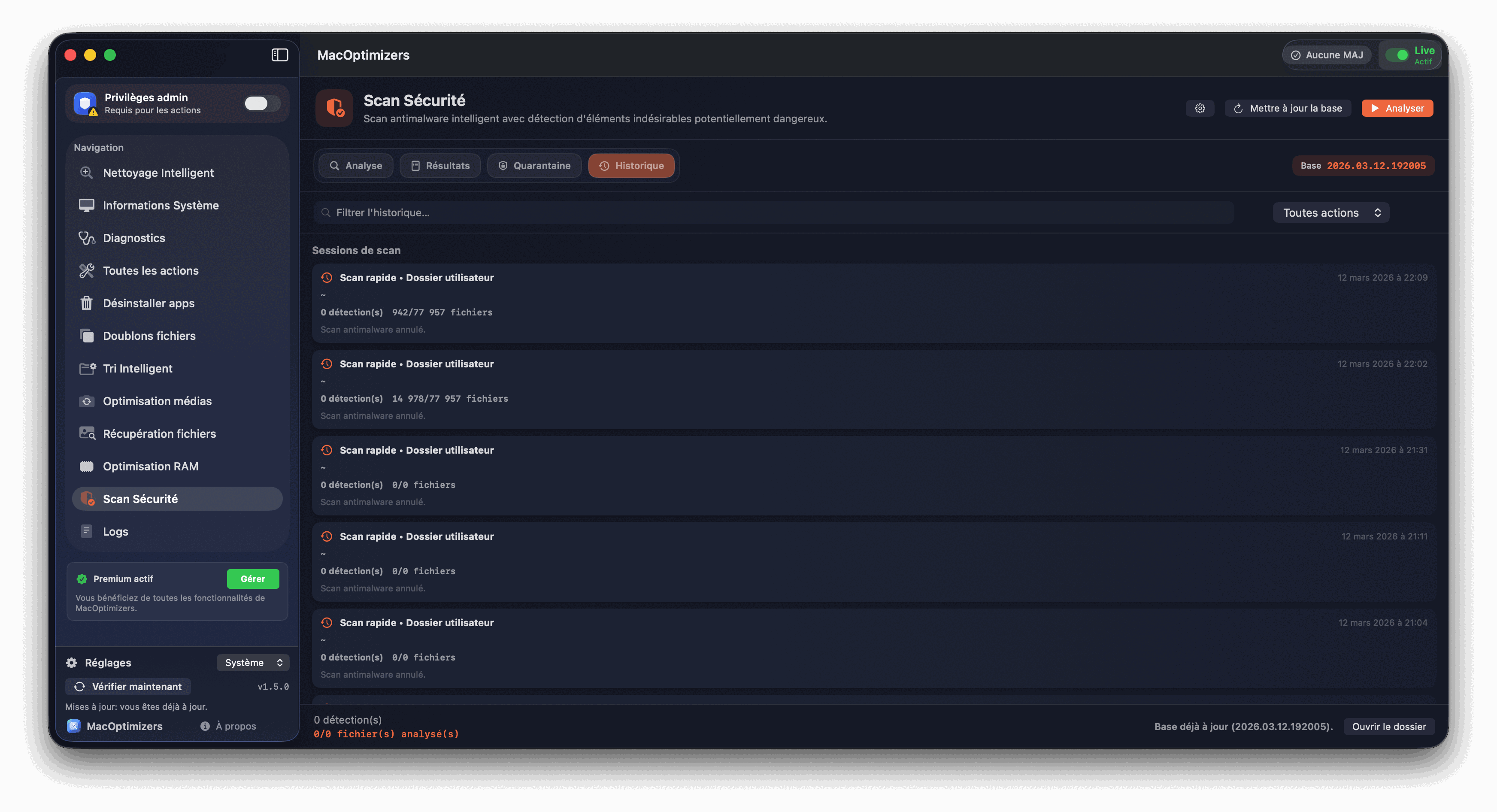
The module runs an intelligent security analysis on key locations, displays findings by risk level, and then offers guided actions to isolate potentially dangerous items.
New Premium module
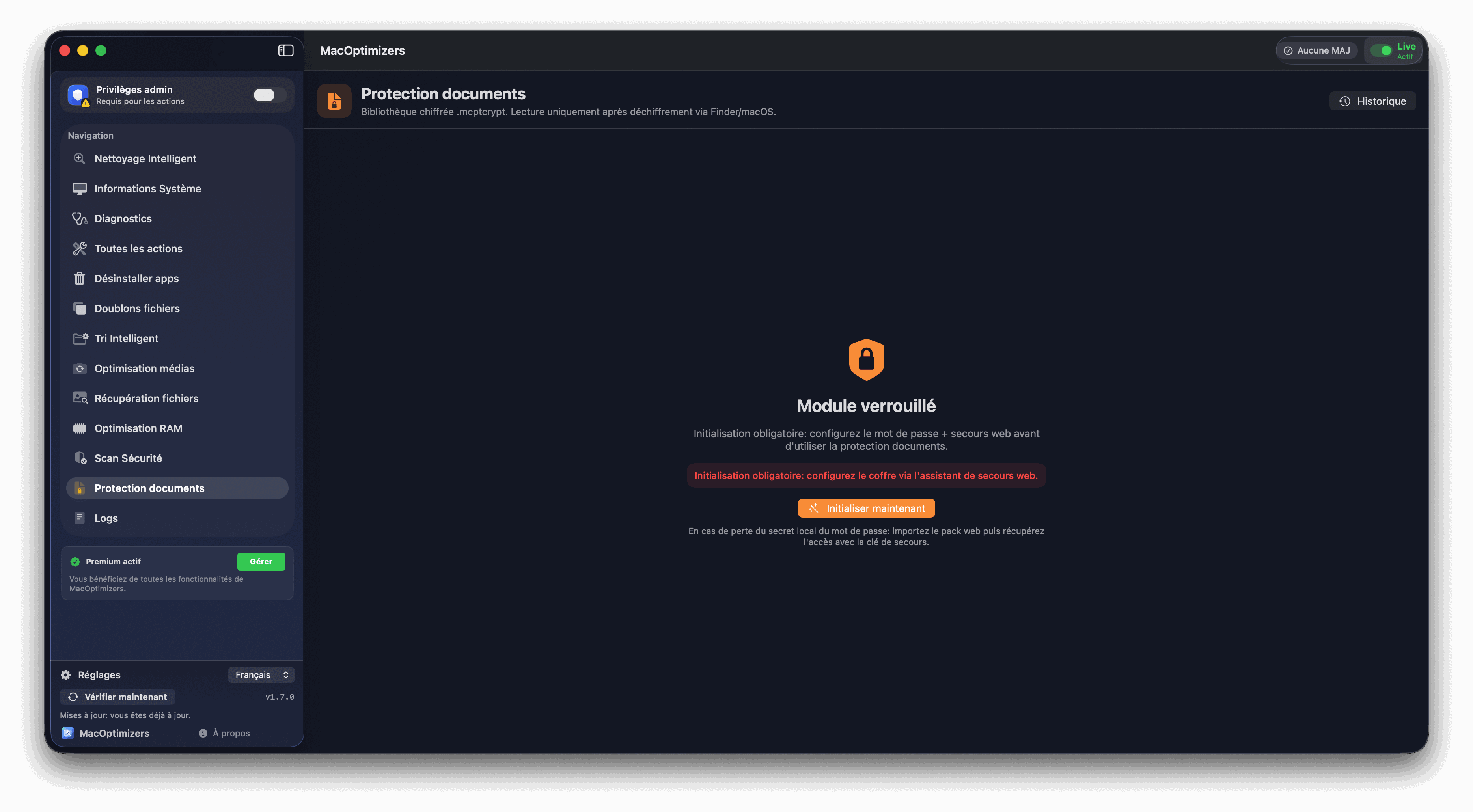
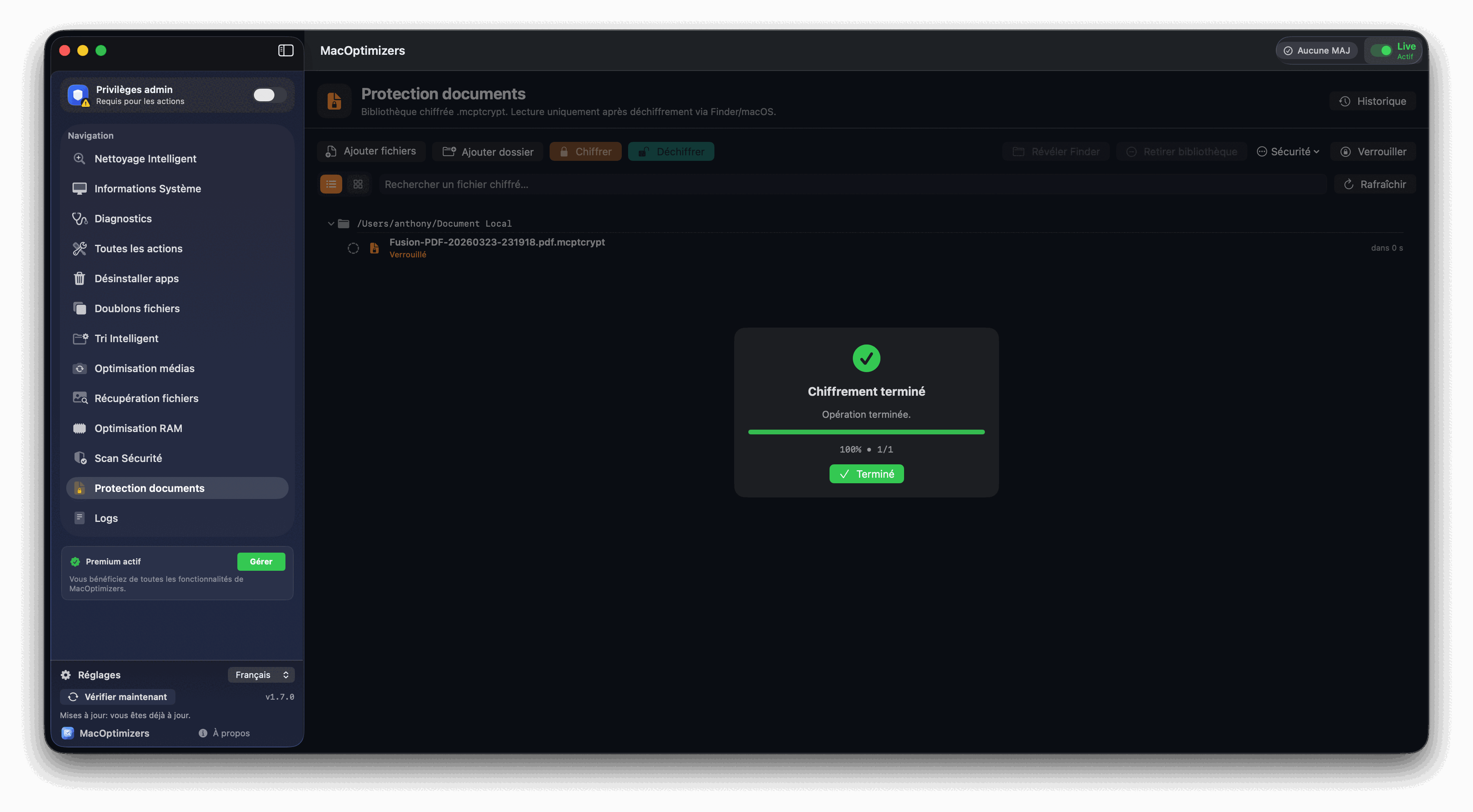
Document Protection lets you encrypt sensitive files so they stay unreadable until you unlock them. You manage protected items from a dedicated library and decrypt only when you need to open a document in Finder.
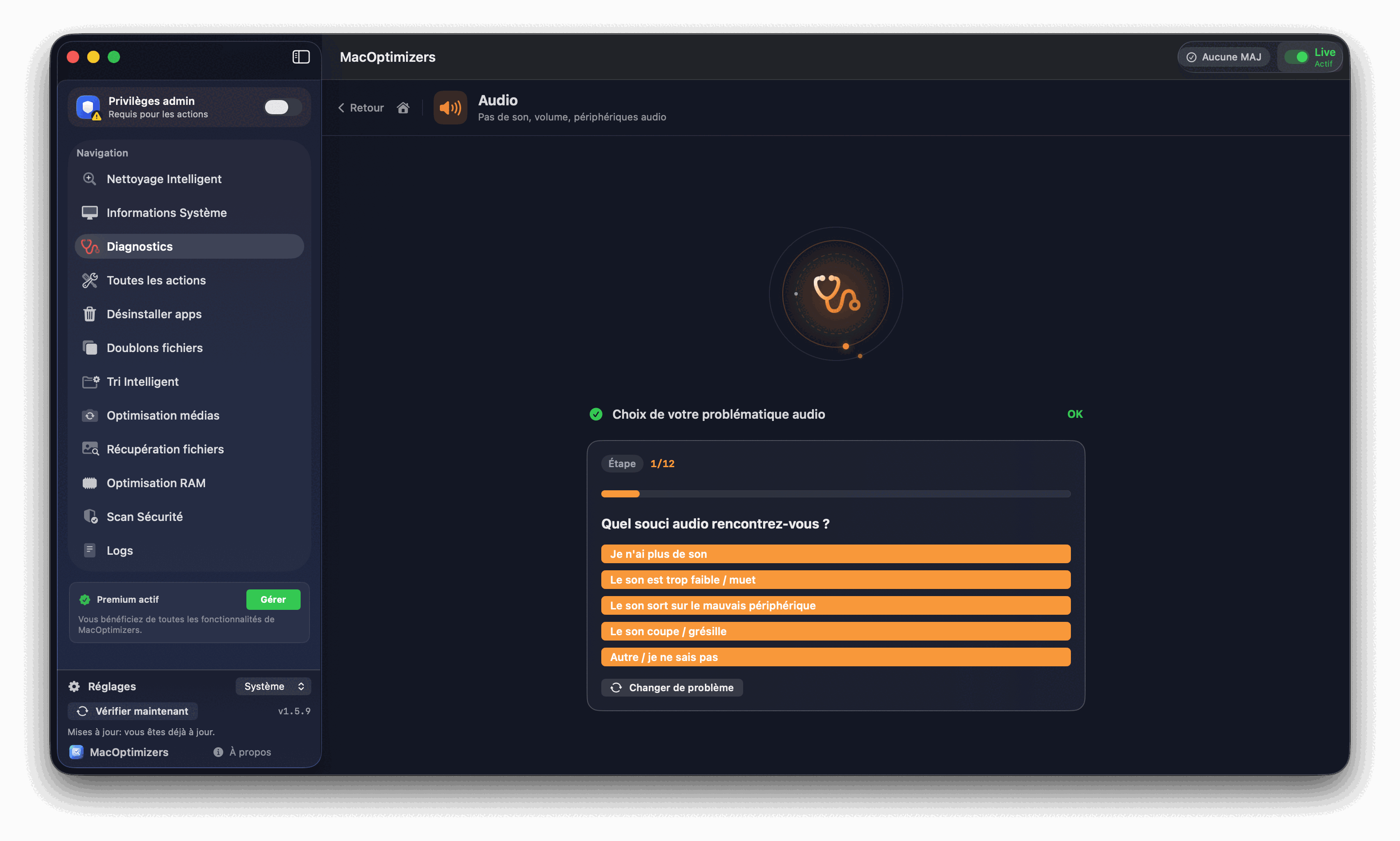
Troubleshooting engine
Each category launches precise tests, reads the command feedback, then offers progressive corrections. The app stops as soon as the problem is resolved.
Sound test, audio output, daemon, Wi-Fi/Ethernet, DNS, DHCP and guided resets.
Module status, pairing, daemon restart, folder permissions, volume repair and rights.
Finder, Spotlight, Print, View, Crashes, Mail, Time Machine, iCloud, USB, Startup.
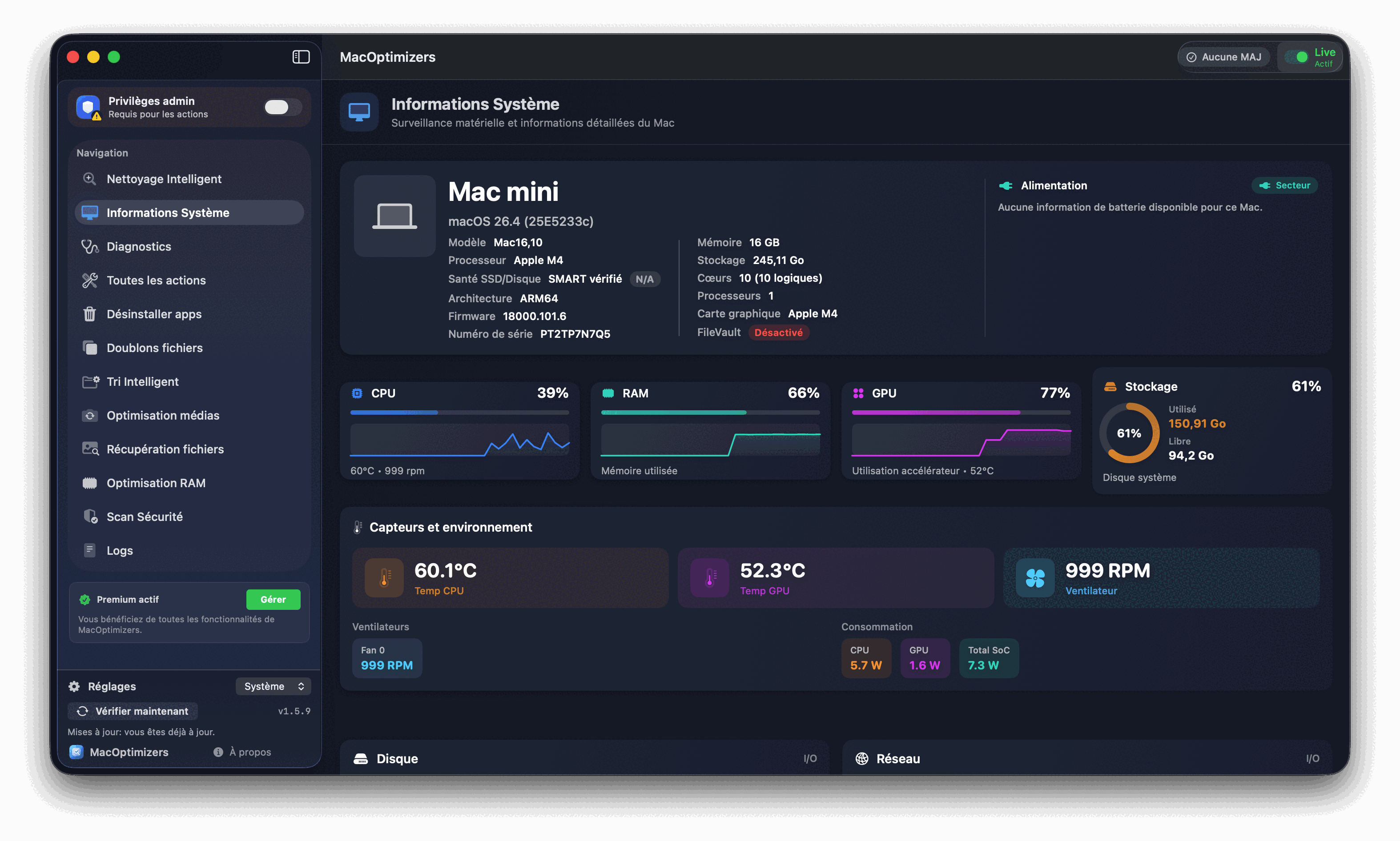
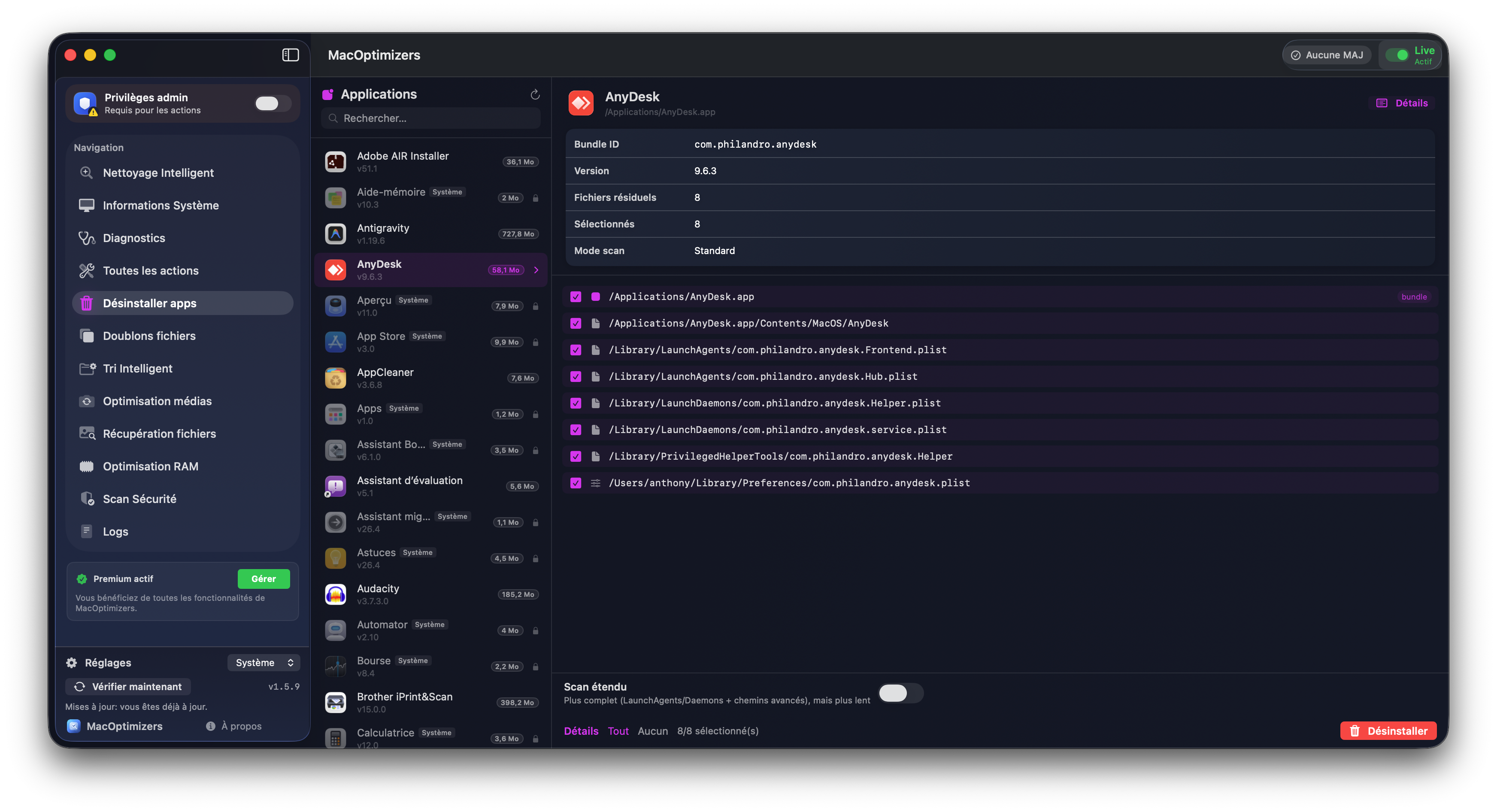
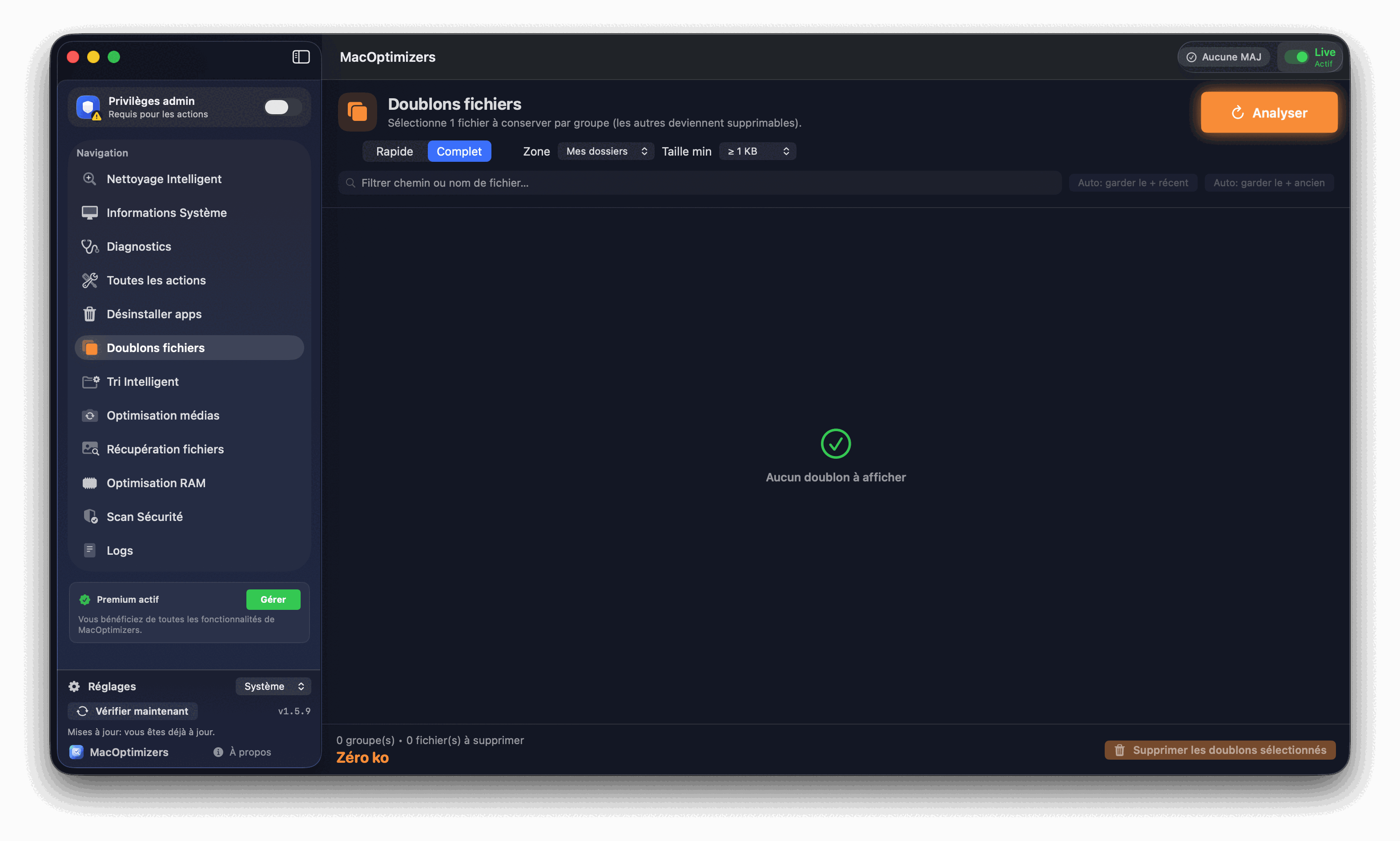
Screenshots app
FAQ
Yes. The app works on Apple Silicon (M) chips and Intel Macs.
Ventura, Sonoma, Sequoia and Tahoe are supported.
Yes. Diagnostics uses native macOS shell commands, sequential testing, and guided repairs. See also the Mac diagnostic guide.
Yes. A dedicated recovery module allows you to analyze and then restore the files found.
Yes. The Duplicates section identifies groups and lets you choose which file to keep. See also the duplicate removal guide.
The module scans your folders, predicts categories (native + custom rules), suggests destinations, and only moves files after your validation. See also the Mac file sorting guide.
The Premium module includes 5 modes: Compress, Convert, PDF Processing, Extract Audio, and Extract Video URL, with queue management and full progress tracking.
The Premium module analyzes your folders, detects potentially harmful unwanted items, and provides guided actions such as quarantine, detailed review and security history.
The Premium module encrypts and decrypts sensitive files on demand. As long as a file is encrypted, it stays unreadable until you unlock it with your password.
Yes, a free version is available. Advanced features are included in the Premium lifetime license (live price).
Use the free version for everyday maintenance, then upgrade to lifetime Premium for advanced features.
Download MacOptimizers nowCurrent version: ...
Support & Quality
Found a bug or have a feature idea? The wizard adapts the form based on your request type.
Step 1/3 · Context
Press & Media
Coverage and articles from tech media and partner publications.
Guides, comparisons & troubleshooting
The homepage presents the product. The resources below are for learning, comparing and troubleshooting before installation.
Step-by-step tutorial for cleaning a Mac without a subscription using the free features.
View free guideOrganize Documents, Images and other files without losing control.
Read the guideIdentify true duplicates and delete securely.
Read the guideRun a diagnosis and apply priority corrections.
Read the guideRemove an application and its residue (caches, preferences, containers).
Read the guideQuick checklist to regain fluidity after updating macOS.
Read the guideSimple action plan to quickly reclaim space.
Read the guideCompress, convert, process PDF and extract audio/video while maintaining quality.
Read the guideEncrypt and decrypt private files to prevent unwanted access on your Mac.
Read the guideClean up an overloaded photo library without deleting the right files.
Read the guidePages targeted for specific problems encountered on macOS.
Fix slow navigation and unstable pages.
Read the guideReclaim space through careful system cleaning.
Read the guideDelete unnecessary temporaries without risk.
Read the guideIdentify overheating and reduce noise.
Read the guideRegain control of memory in 10 minutes.
Read the guideSpeed up macOS login.
Read the guideOptimize the photo library without losing useful images.
Read the guideFix a Finder that responds poorly in large folders.
Read the guideAccelerate search and indexing macOS.
Read the guideClean Downloads quickly and permanently.
Read the guide